We've completely revamped the member management features in coapp. 🤩 Starting today, you'll have everything you need for professional community management all in one place!
Here are the most important updates for you:
Your Community, Your Data: Custom Fields
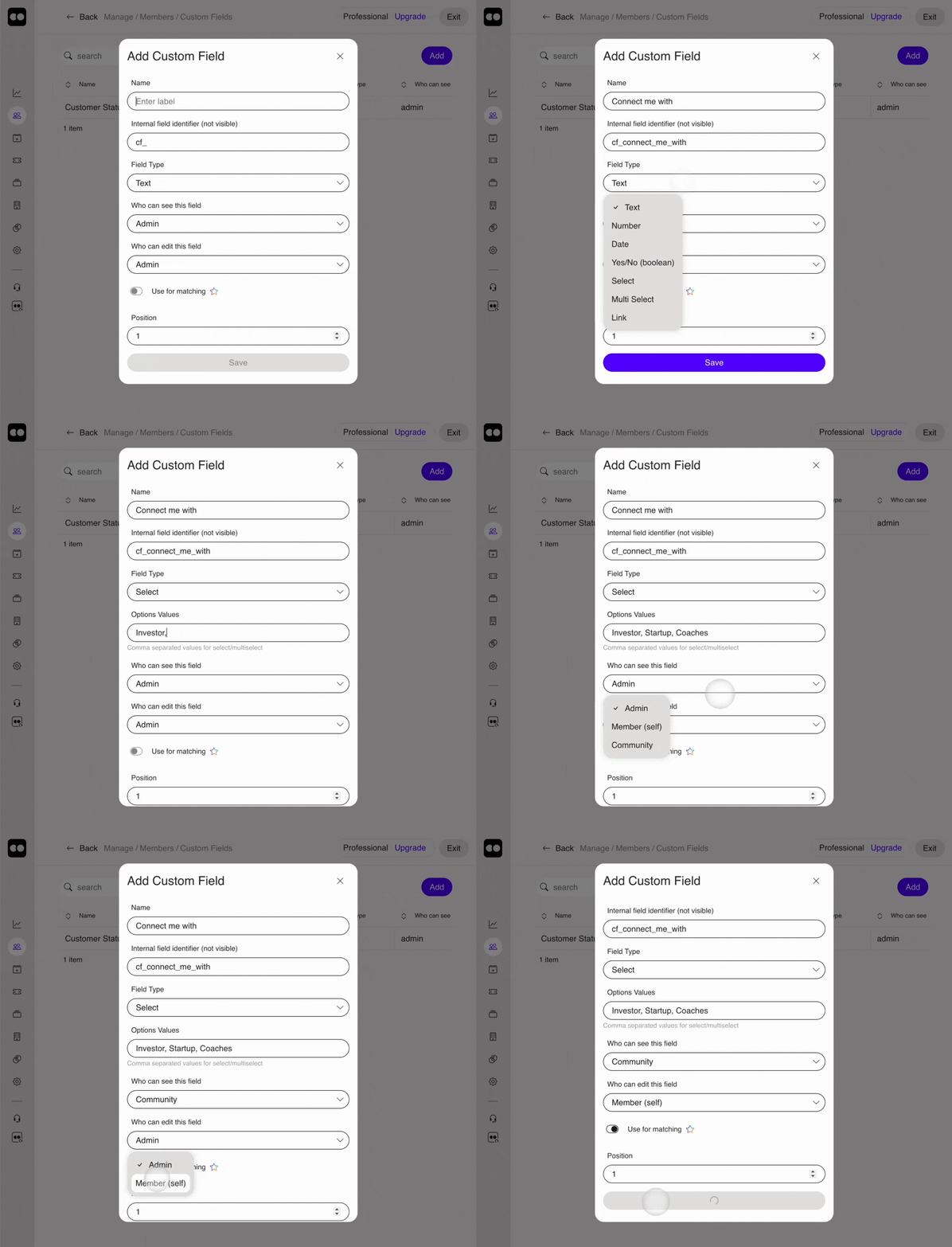
With custom fields, you can build your interface exactly the way you want it. You have full control over what information is collected and who sees it. Best of all: Starting with the Starter plan, you can create an unlimited number of fields right away!
Here are a few examples of how versatile these fields can be:
Text field: e.g., for "Favorite book" or "Job title"
Numeric field: e.g., for " number of employees" or a " membership number"
Date field: e.g., for the " date of entry"
Yes/No checkbox: e.g., for "Subscribe to newsletter"
Selection field: e.g. , “Connect me with:” (investors, startups, coaches)
Multiple selection: e.g., for "Interests" or "Skills"
The new member list: Find exactly what you're looking for
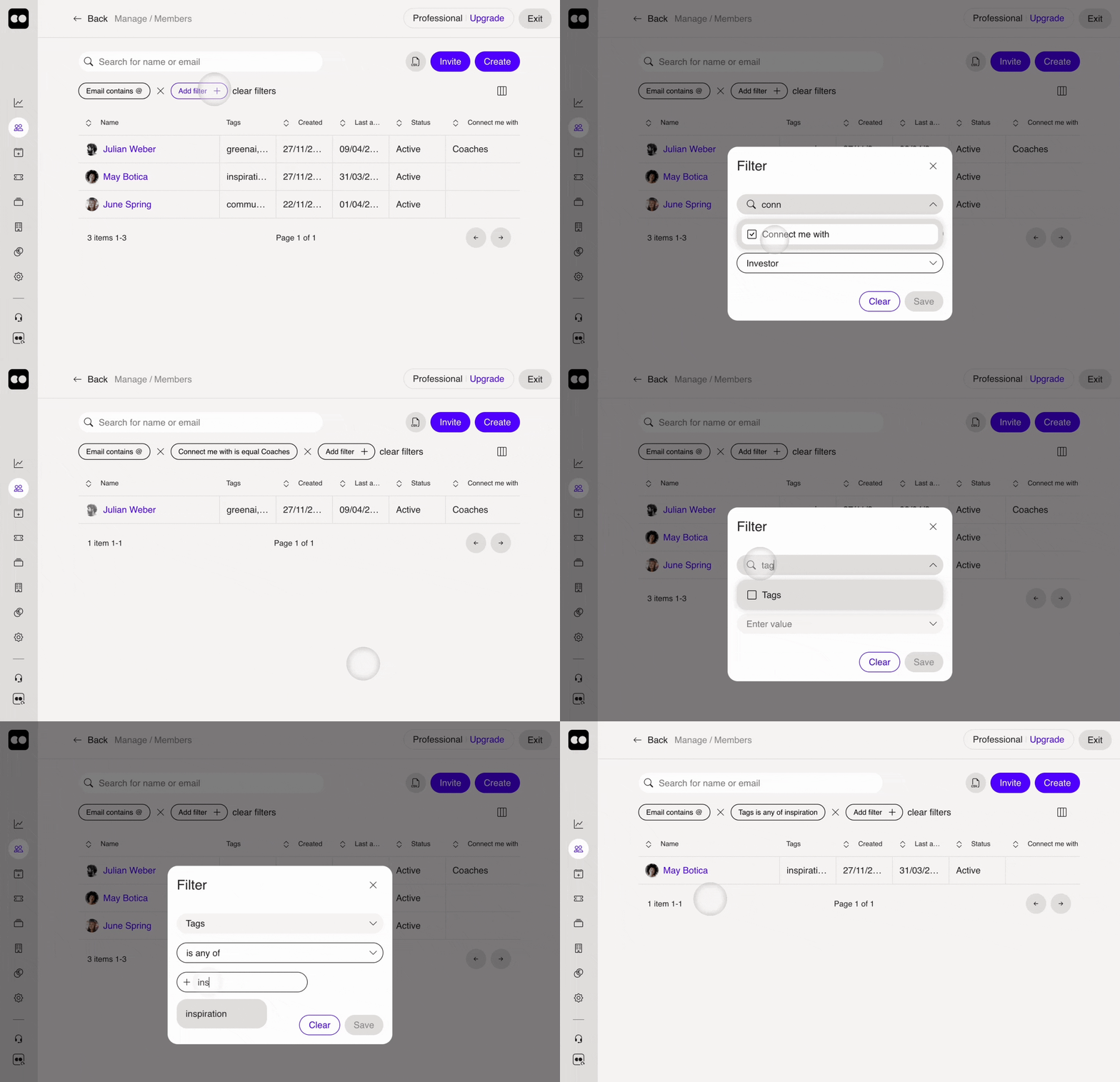
Collecting data is good—using it efficiently is better. Our updated member list now makes analyzing and managing your data easier than ever:
Unlimited filters: You can filter the list by any column—and, of course, by any custom fields you've created.
Your perfect overview: Simply customize the columns displayed in the table to suit your preferences. coapp automatically saves this view on your device.
Share with your team with a single click: Your filter settings are now saved directly in the URL. Just copy the link and send it to your admin team so everyone can see the same view as you right away.
Smart CSV Export: Download only what you really need. From now on, the CSV download will include only the columns currently displayed in the table.
Share posts—in Messenger, on the feed, and on pages!
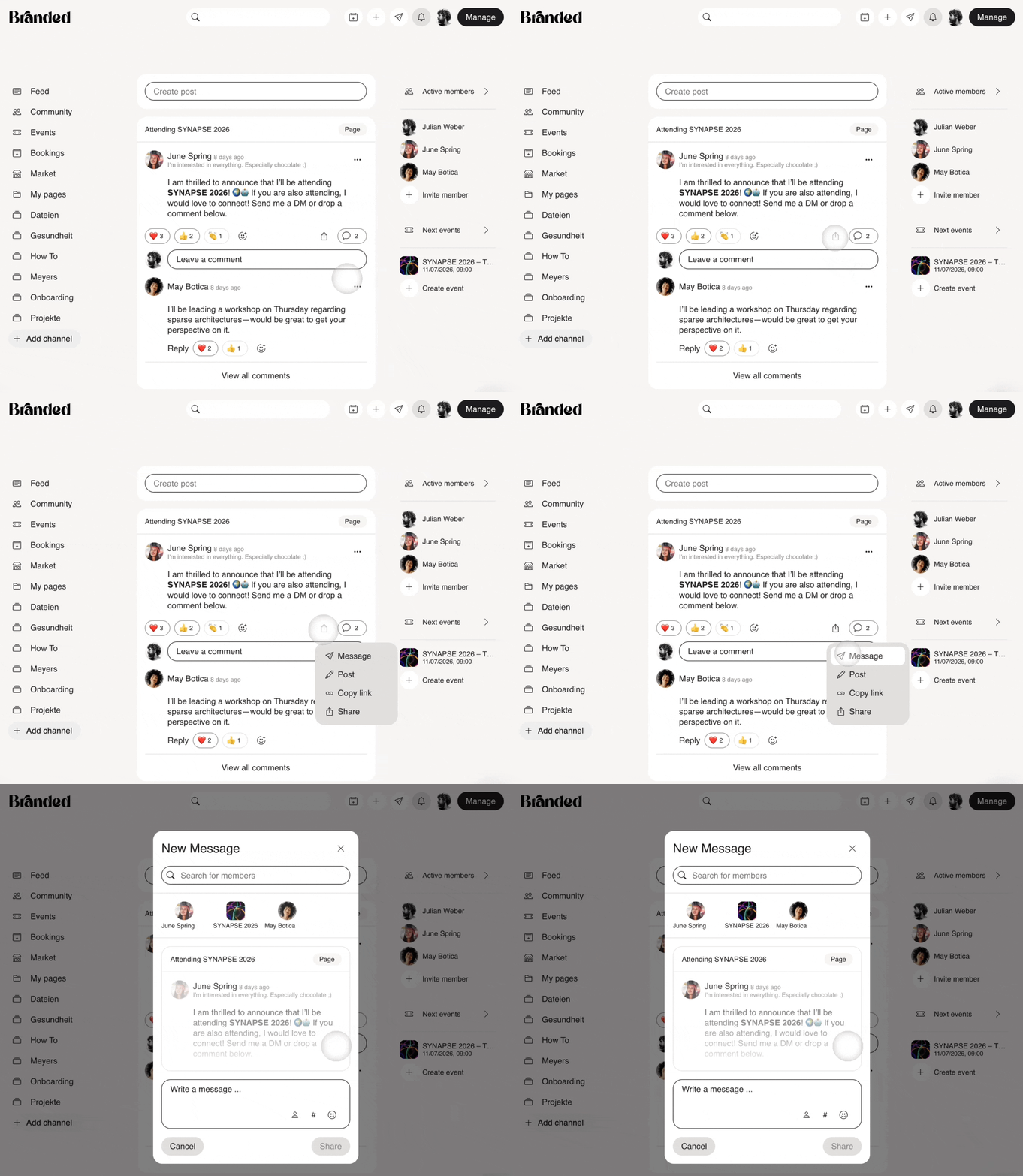
We know your community loves sharing content on Messenger. That’s why we’ve made it even easier! 🎉
Starting now, all posts have a new share button. This lets you share content in a flash:
As a direct message to others
To an existing group chat
As a new post in the feed or on a page
And the best part is: You can easily share not just posts, but entire pages and events as well!