We have had an eventful month full of new developments! We have been working hard to make coapp even more powerful for you and your community.
Look forward to a clearer feed, the new filter search, efficient bulk import for members, greater transparency in billing periods, and our new, invisible bot protection.
Here is an overview of everything you need to know:
Compact & Clear: The new design for discussions
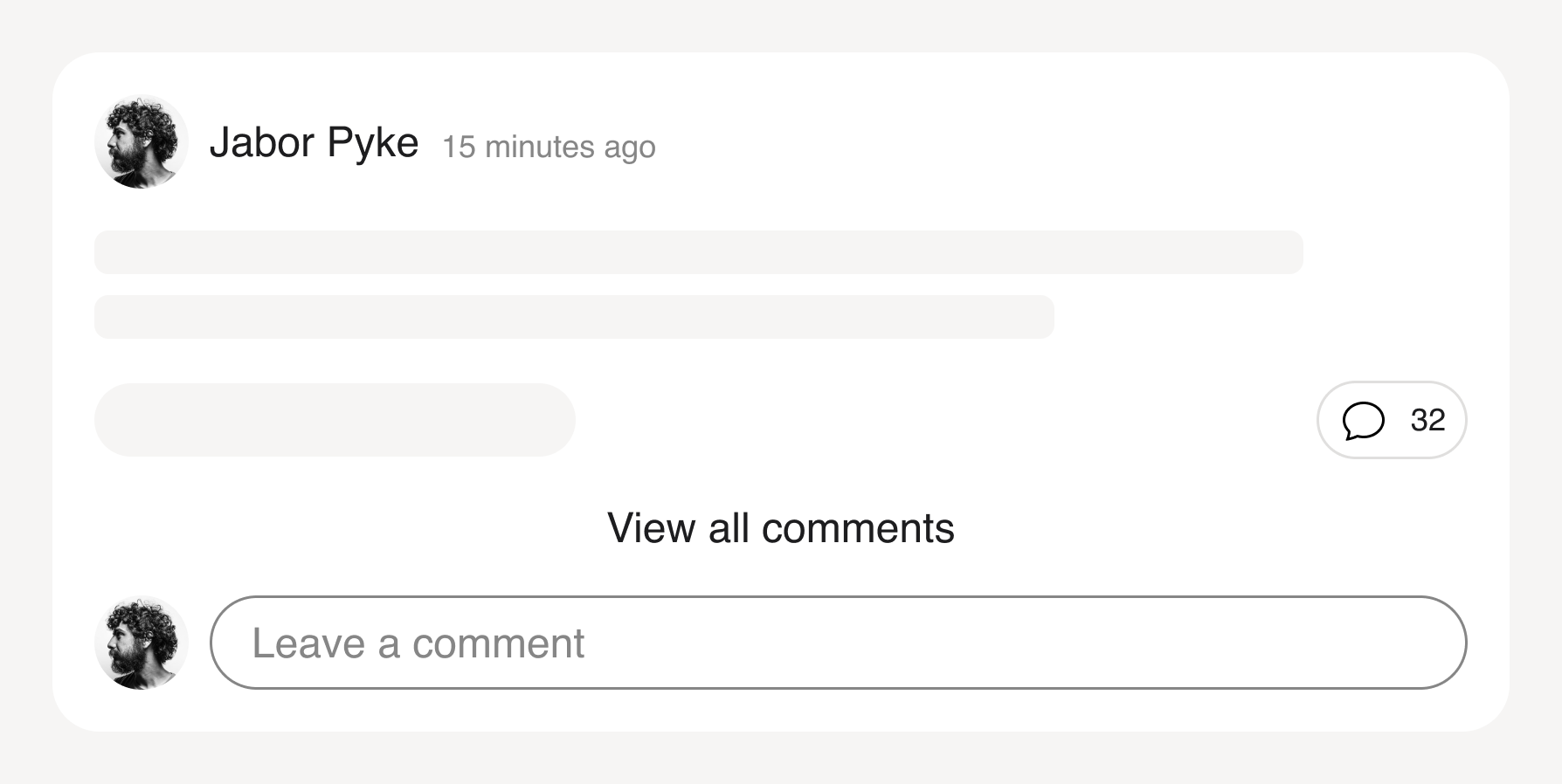
Lively discussions are at the heart of every community—but endless comment threads can quickly make the feed confusing.
From now on, comments in the feed will be collapsed by default.
Your members will only see the most recent comment under a post. This preserves the context, but does not disrupt the flow of reading in the feed.
A new comment counter immediately shows how hotly a topic is being discussed.
One click opens the complete history if required.
The new filter search is here
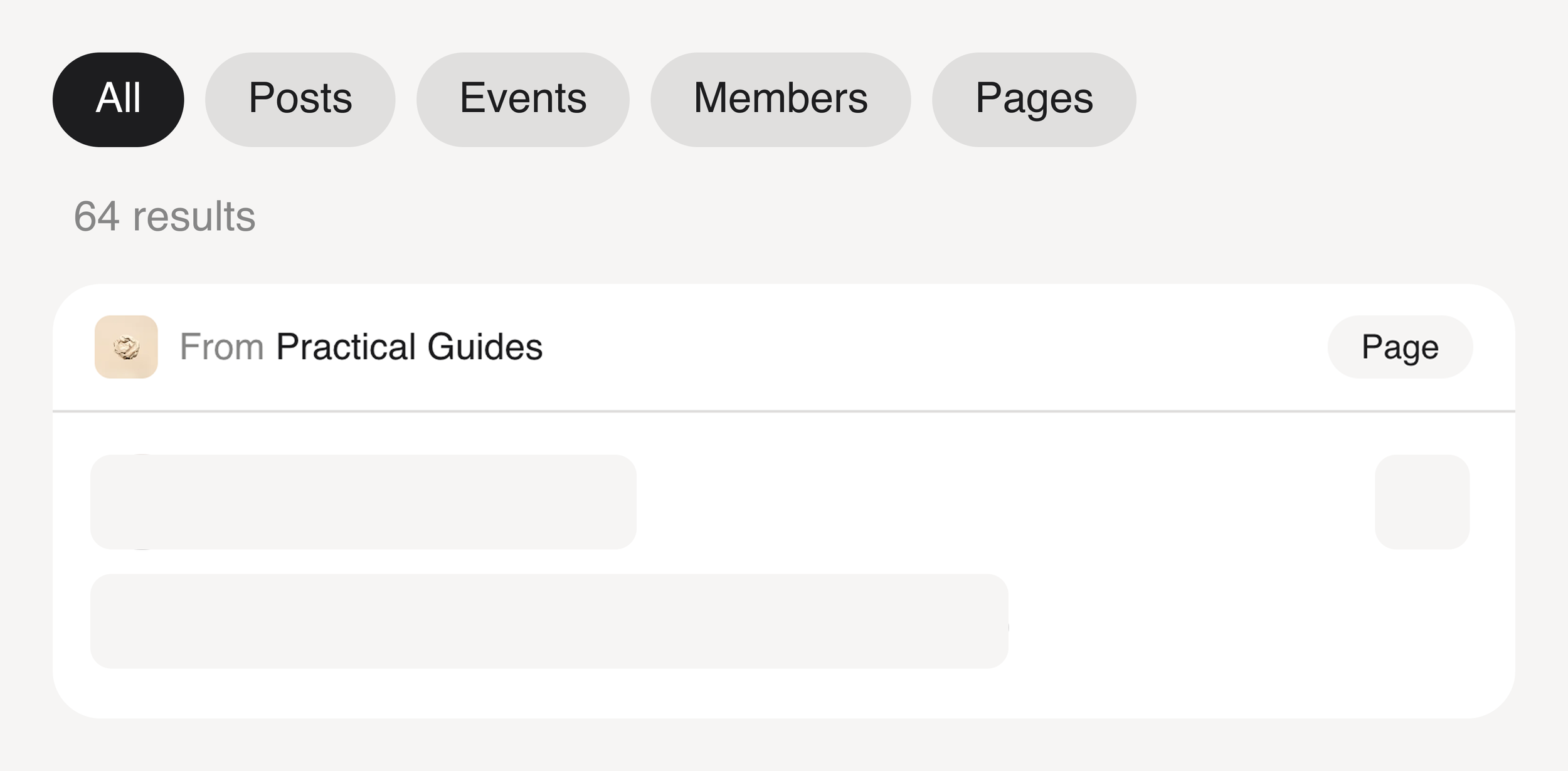
We know how important it is for your members to find their way around your community. The easier it is for them to discover relevant content, the more active they will be.
That's why we've improved the search function in coapp!
An advanced search with filters is now available to your members. Whether they are looking for discussions, upcoming events, or experts, they can now find everything even more easily using the new categories.
Upload existing member lists directly
Closed beta
Available upon request
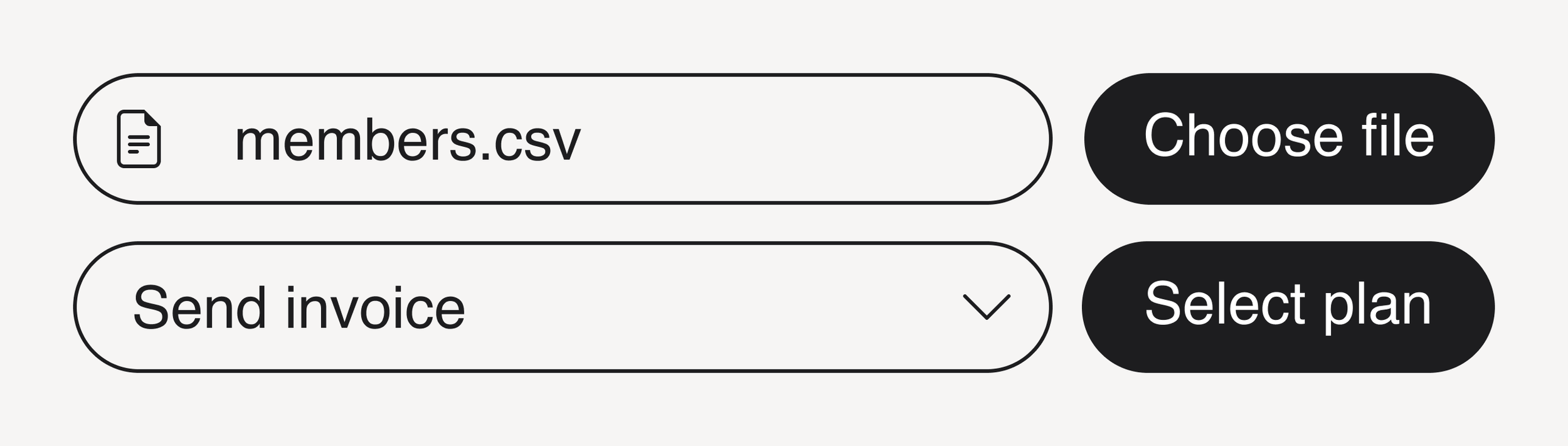
Moving your community from another platform or from Excel lists is now easier than ever. With our new bulk member import feature, you can upload your existing member lists directly.
Say goodbye to manually creating individual accounts! 👋 With our new Bulk Member Create feature, you can now add up to 100 members at once via CSV upload.
The best part: you don't just import contacts, you also assign them the appropriate plans and payment methods directly.
Your new opportunities at a glance:
📂 CSV upload: Simply download our template, fill it out, and upload it again.
🏷 Plan assignment: Assign the right membership plan to your new members directly during import.
🤫 Silent Mode: Select the "Suppress Welcome Email" option to prepare members without sending notifications immediately.
Resolve billing issues in a flash
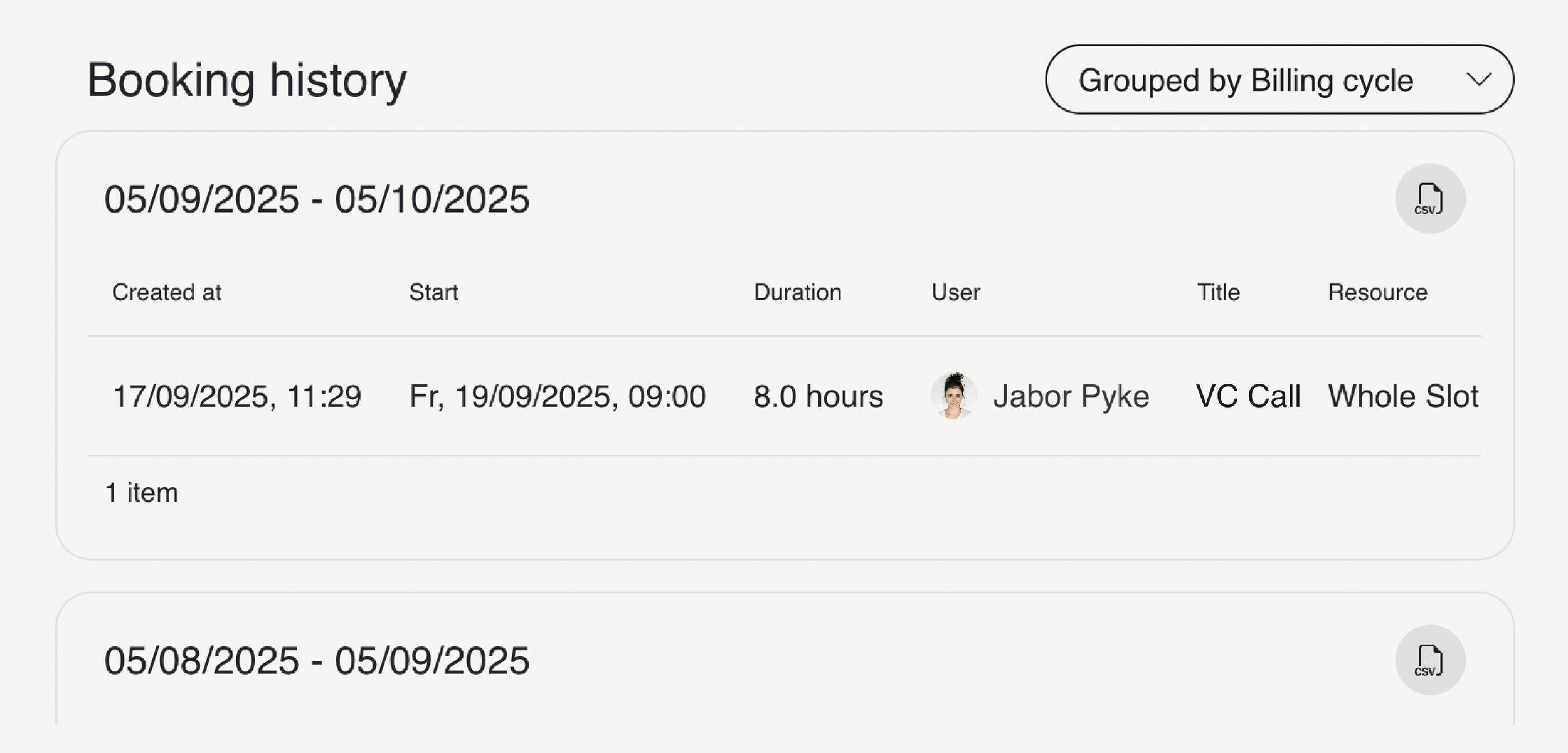
"Why is this booking on my February invoice?" Are you familiar with questions like this from your members? Until now, you had to laboriously compare data and time periods.
Starting today, we're making things easier for you in the Manage section!
When viewing a member's profile, you can now group the booking history by billing cycles. Instead of a list, you will immediately see:
Which entries belong exactly to this billing month?
What costs were incurred in which cycle?
This allows you to check your members' bookings yourself and resolve support requests in seconds. And if you need to process the data further, just click on the CSV icon.
More protection against spam and bot registrations
To keep your community clean and safe, we have introduced a new security level for all public, free registrations.
Effective immediately, a CAPTCHA (Completely Automated Public Turing test to tell Computers and Humans Apart), a security mechanism designed to protect against spam and automated bot attacks, will safeguard your registration process.
This means:
For your members: Absolutely nothing changes. No puzzles, no clicks, just sign up and get started.
For bots: Automated attacks are detected and blocked before they can cause damage.