
In addition to “Private Pages” and “Community Pages,” coapp offers you another option for pages: pages with exclusive content.
With pages featuring exclusive content, you can combine freely accessible content with restricted areas for select membership plans or select members with “Contributor” permissions.
These pages remain visible and searchable to all members. This allows interested visitors to discover your page and view a freely accessible portion of the content.
You decide where the exclusive area begins
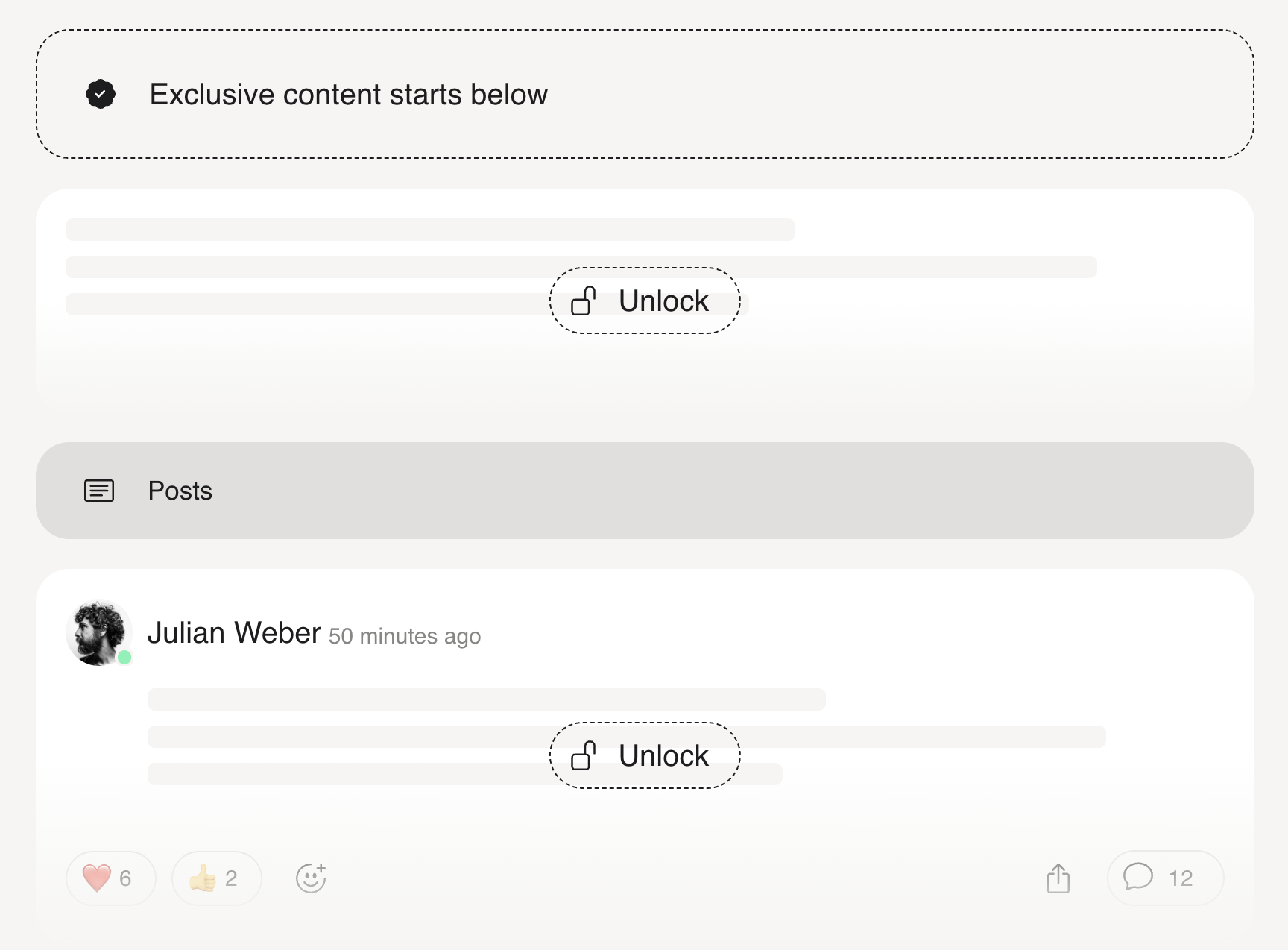
When creating or editing the page, you specify the section from which exclusive access applies.
Everything above this section remains visible to everyone. The content below it can only be viewed by contributors and members with the required membership level.
Members without the appropriate access can see how to unlock the exclusive content and can select the appropriate plan or submit a membership request, if configured.
The combination of open and restricted content helps you present your offering in a clear and understandable way. You can start by providing an overview, explaining the benefits, or making individual pieces of content freely available. Then the exclusive section begins.
This allows you to implement different access models without having to spread freely accessible and restricted content across multiple pages.
Ideal for educational content, private member areas, premium formats, and paid offerings
Pages with exclusive content are particularly well-suited for:
Online Courses and Learning Materials
Private Member Areas
Exclusive Articles and Resources
Premium Formats
Paid community offerings
Content for Selected Member Groups
For more information on setup, see the help article.